Your trainer. A whole world to ride.
VELOMANZA turns a smart trainer into a 3D ride. The road tilts, the trainer pushes back, and your watts move a rider you built. It runs in the browser, with nothing to install.
Pairs over Bluetooth in Chrome and Edge, on a computer or Android.
Rides with
- Wahoo KICKR
- Tacx NEO
- Elite Direto
- Saris H3
- Zwift Hub
- any FTMS trainer
How it works
-
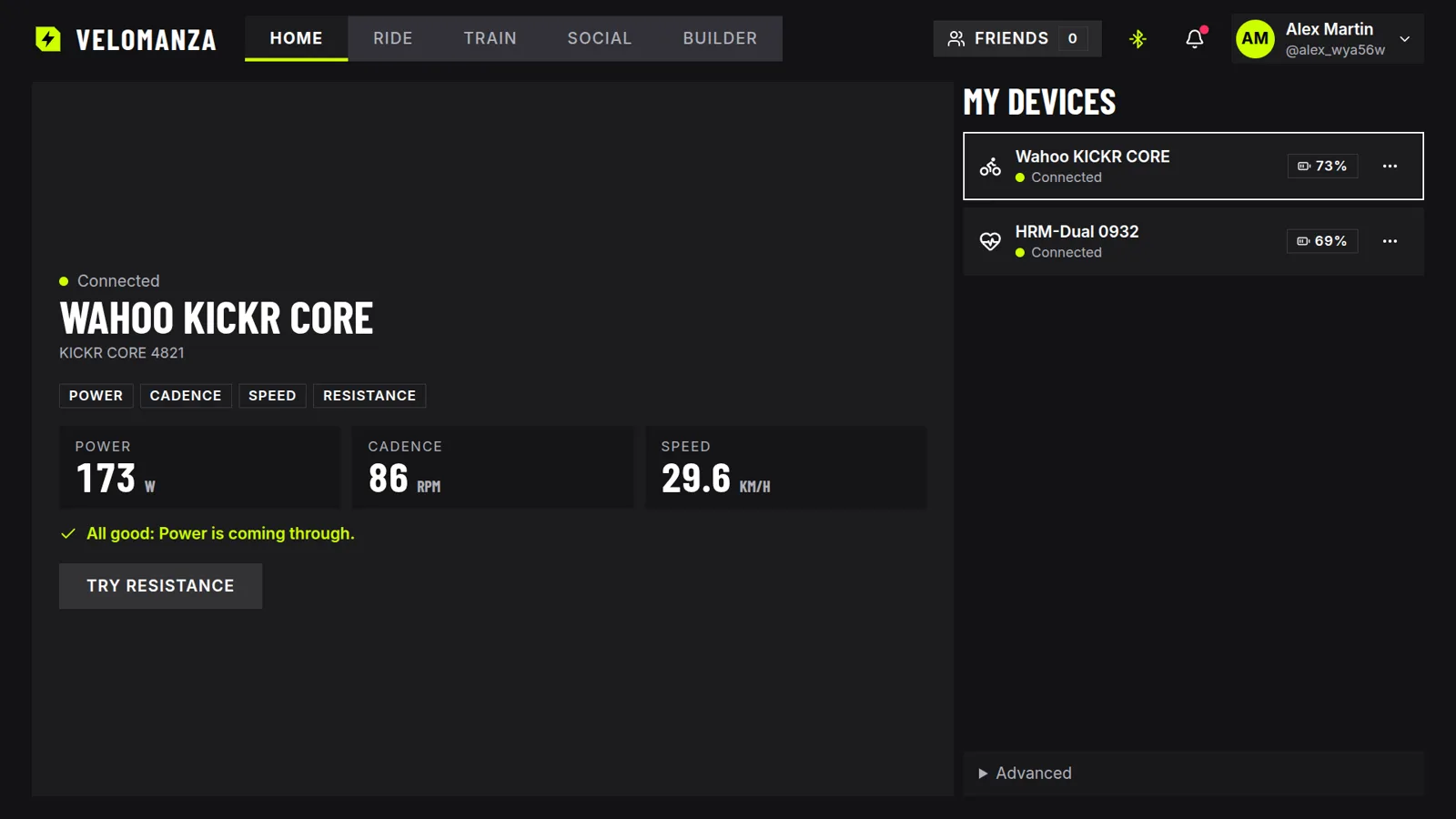
Pair your trainer
Wake the trainer, click once, and pick it in the browser's Bluetooth list. Heart-rate straps, cadence sensors and power meters pair the same way.
-
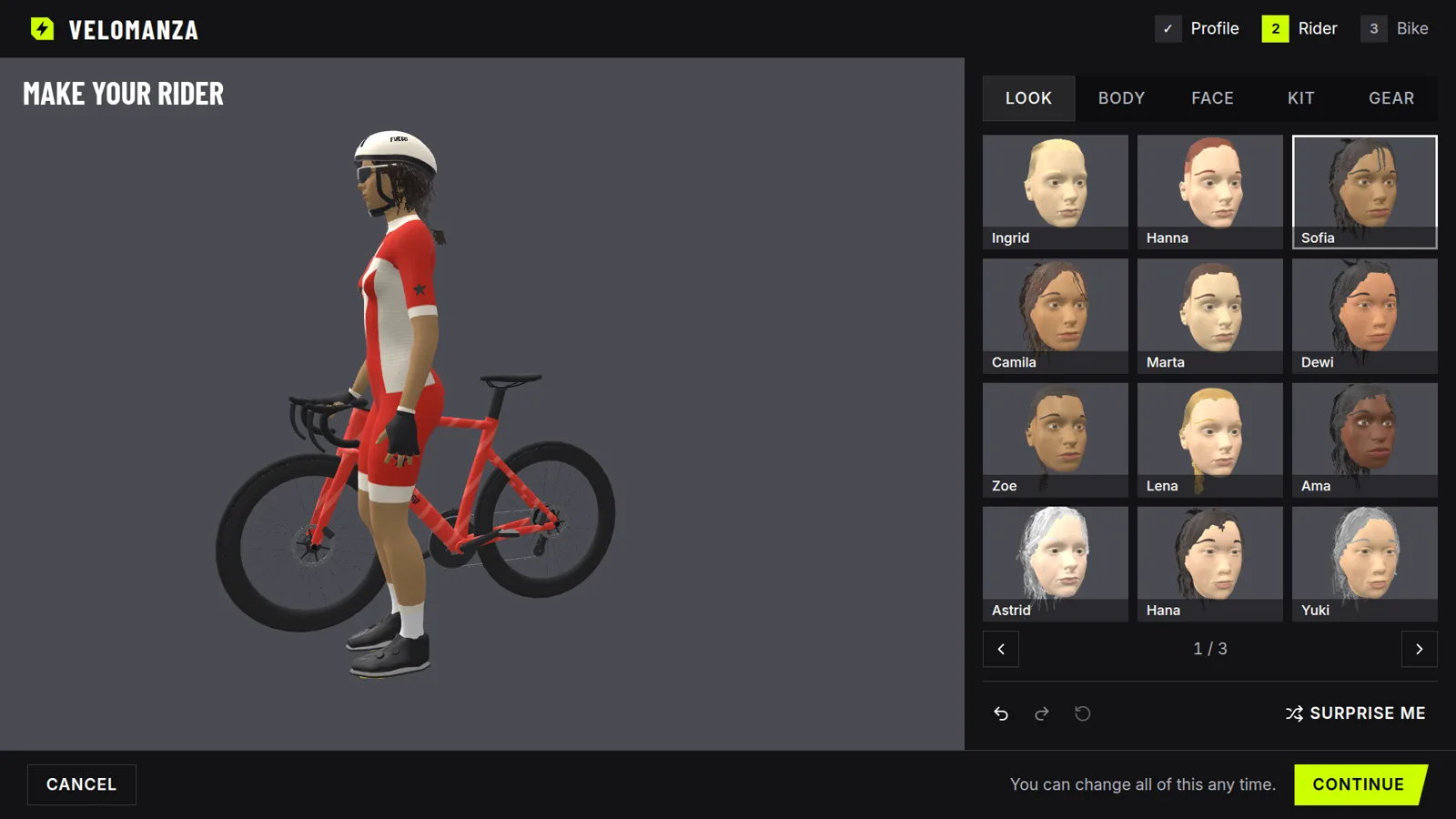
Build your rider
Start from your height and weight, then choose a face, hair, a kit and the bike's paint.
-
Pick a course and ride
Flat, rolling or climbing. Press Ride now and start pedalling.
The road pushes back
On a climb the trainer gets heavier. Over the top it lets go. VELOMANZA sends the road's gradient to your trainer as you ride, so your legs feel the course and not a number on a screen.
Speed comes from your power against gravity, rolling resistance and air, with your own weight. For 83 kg of rider and bike, 200 W is about 33.8 km/h on the flat, and 250 W is about 15.5 km/h at 6%.
A rider that is yours
Pick a face and hair, set your build, choose a kit. The bike takes the kit's colours, or its own paint if you prefer.
That rider is the one on the road.
Every sensor on one screen
Pair a heart-rate strap, a cadence sensor or a power meter next to the trainer. A dedicated sensor takes over from the trainer's own reading.
On the road, power, cadence, heart rate and gradient sit in the corners of the screen, coloured by power zone.
What you need
-
A smart trainer with Bluetooth
Wheel-on, direct-drive or a smart bike. If it speaks FTMS, it works.
-
Chrome or Edge
On a computer or an Android device.
-
A screen you like
A laptop works. A TV is better: the interface scales up to it.
Questions
Which trainers work?
Any smart trainer that supports FTMS over Bluetooth. Setup steps are built in for Wahoo KICKR, KICKR CORE, KICKR SNAP and KICKR BIKE, Tacx NEO 2T, Flux S and Boost, Elite Direto XR, Suito and Zumo, Saris H3 and M2, and Zwift Hub.
Do I need to install anything?
No. VELOMANZA runs in the browser. Sign in, pair your trainer, ride.
Does it work on an iPhone, an iPad or in Safari?
Not for pairing. Safari and Firefox do not support Web Bluetooth, which the browser needs to talk to a trainer. Use Chrome or Edge on a computer or on Android.
Does the resistance change on hills?
Yes. The trainer follows the road's gradient. You can switch that off before a ride and keep the resistance flat.
Which sensors can I add?
A heart-rate strap, a cadence sensor and a power meter, each over Bluetooth.
How do I sign up?
With your Google or Facebook account. There is no password to create.
Clip in.
Sign in, pair your trainer, and take the first course.